The SimLab library
Explore a simulation. Understand the process.
Open a business simulation in your browser, then use its process guide to understand the assumptions, workflows and implementation. The simulations use illustrative scenarios; read the guides before interpreting their results.
Business operations · Collection of 10 simulations
Business Simulation Lab
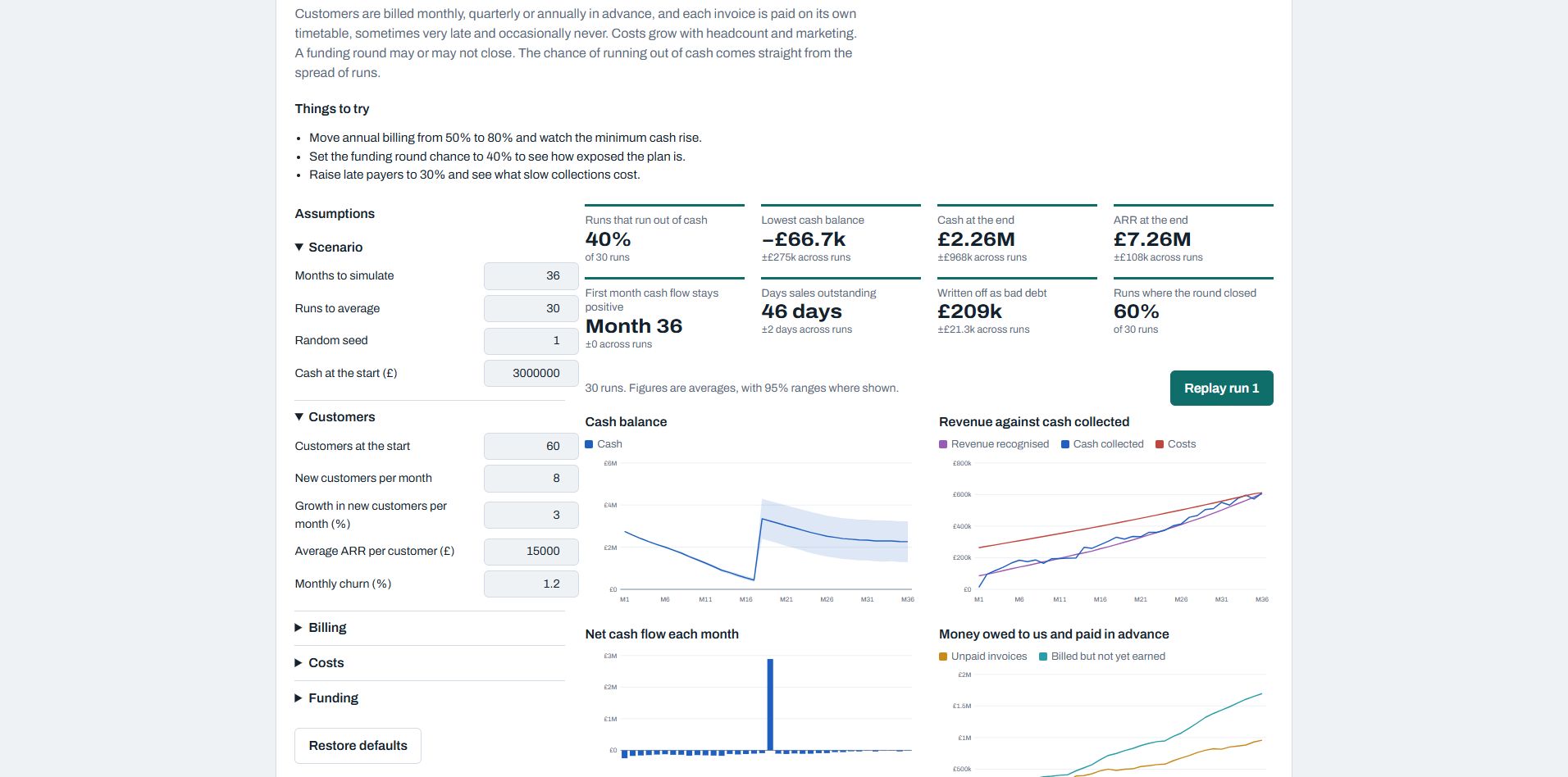
Explore ten models of how a business behaves. Change assumptions, compare repeated runs and replay the events behind the results.
- Sales pipeline, workforce planning, cash flow and runway
- Onboarding, customer support, inventory and software delivery
- Pricing, two-sided marketplaces and the connected business
Uses illustrative assumptions and reports ranges across runs. Use the results to explore decisions, not as forecasts.
Retail operations · Interactive simulation
Electro Mart
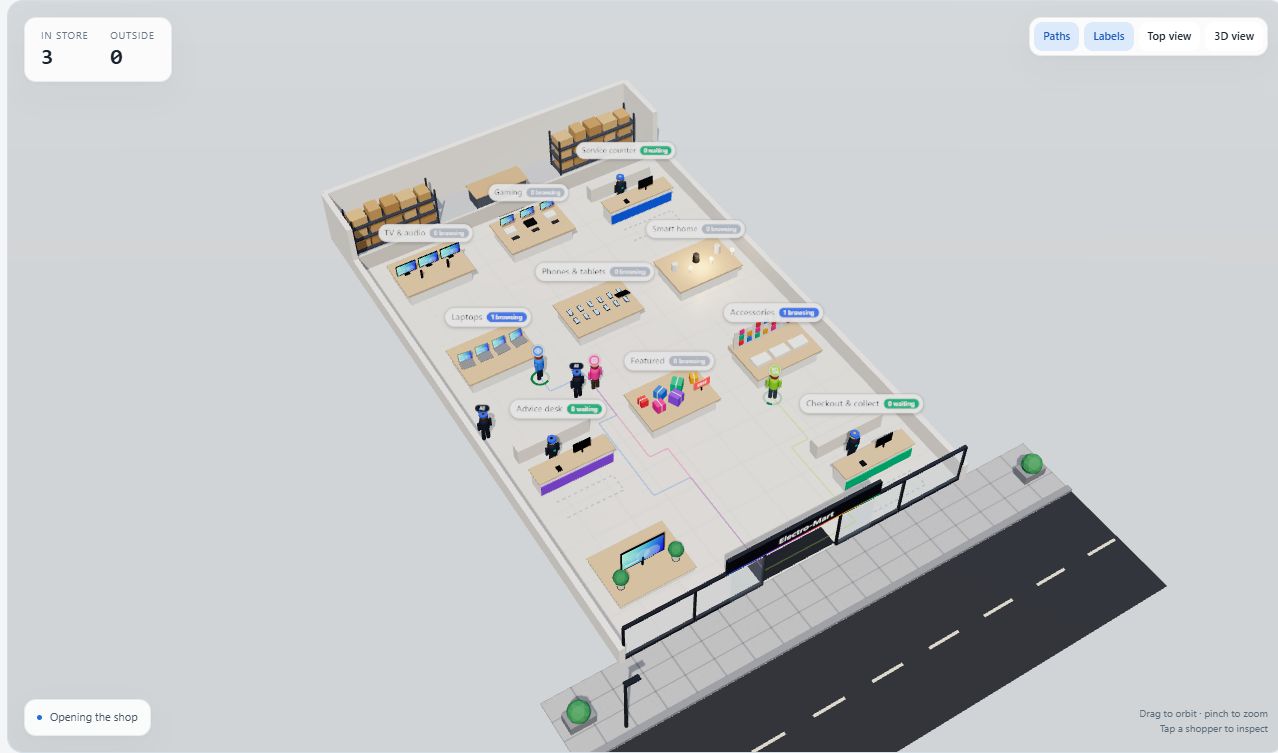
Explore an electronics shop in 3D. Follow customers and staff, compare shop-floor presets, and examine queues, requests for help and completed visits.
- Customer personas, browsing and service behaviour
- Adjustable model settings and observation imports
- A guide to operation, assumptions and implementation
Requires a browser with WebGL. Best explored on a larger screen.
Finance operations · Interactive simulation
CFO Office
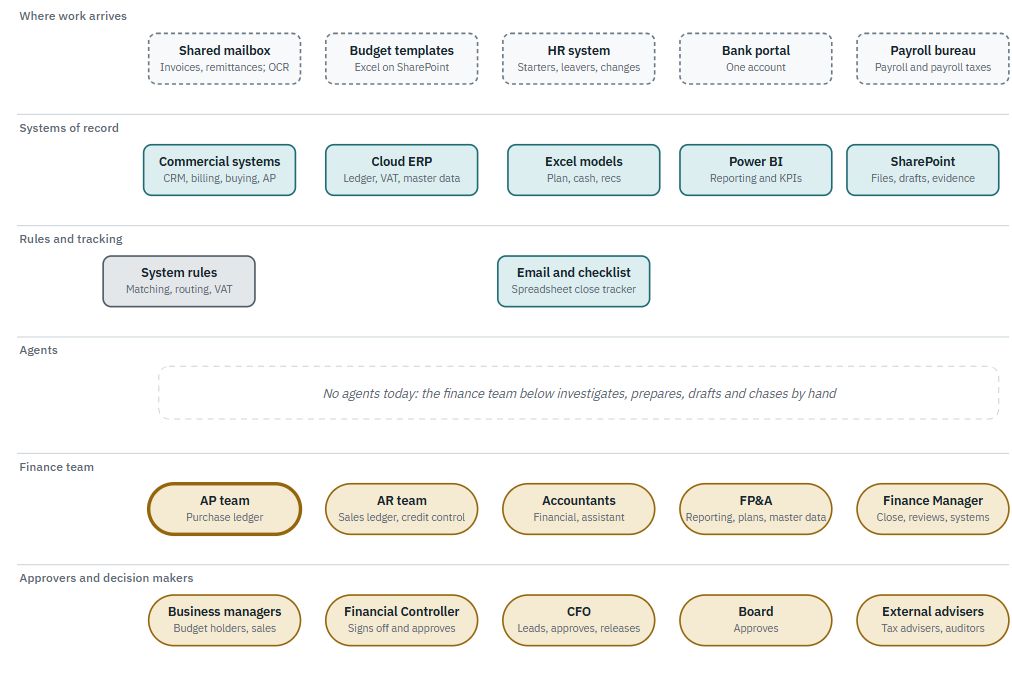
Compare how a finance office operates today with a proposed model using agents. Explore processes, task allocation and the progression of work through a month or year.
- Finance processes, approvals and dependencies
- Monthly and annual runs with event-log exports
- Version 25 guide covering current work and proposed agent support
The agent-supported model is a proposal, not a description of current practice.
People operations · Interactive simulation
Recruitment
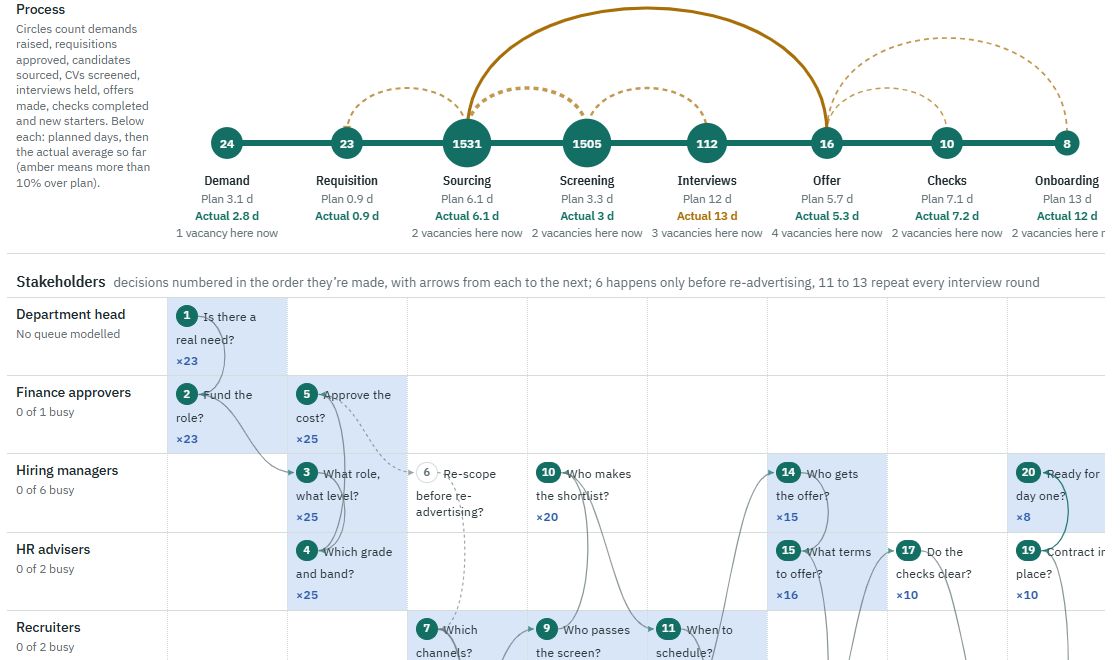
Follow the recruitment journey from a business need to a new starter’s first day. Understand the stages, stakeholders and setbacks, alongside the simulator’s engine, parameters and outputs.
- Eight stages and six setback loops
- Process decisions, systems and handoffs
- Simulator implementation, calibration and testing
Explore how stage timings, candidate volumes and setbacks affect the recruitment journey.
Customer growth · Interactive simulation
Customer Lifecycle
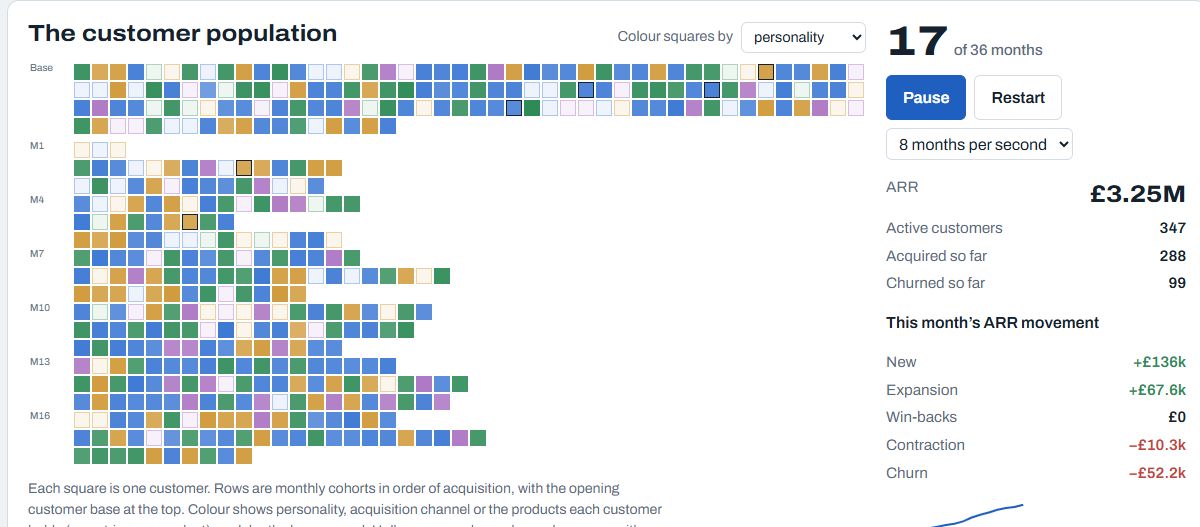
Follow individual customers from acquisition through expansion, churn and return. Explore how channels, products and customer personalities shape recurring revenue.
- Monthly cohorts, retention and revenue movements
- Editable products, personalities and acquisition channels
- Acquisition costs, lifetime value and payback across repeated runs
Uses illustrative assumptions. Adjust the inputs to explore scenarios; results are not forecasts.
